
Features
App Uninstaller
The App Uninstaller removes an application together with the support files it leaves behind, so an uninstall actually frees the space it should.
Short answer
The App Uninstaller removes an application and the support files macOS leaves behind after a normal drag-to-Trash uninstall, so the disk space an application was using is actually released.
The App Uninstaller is a feature of Neatwise: Mac Cleaner, a macOS utility distributed through the Mac App Store.
The App Uninstaller removes an application together with the support files associated with it.
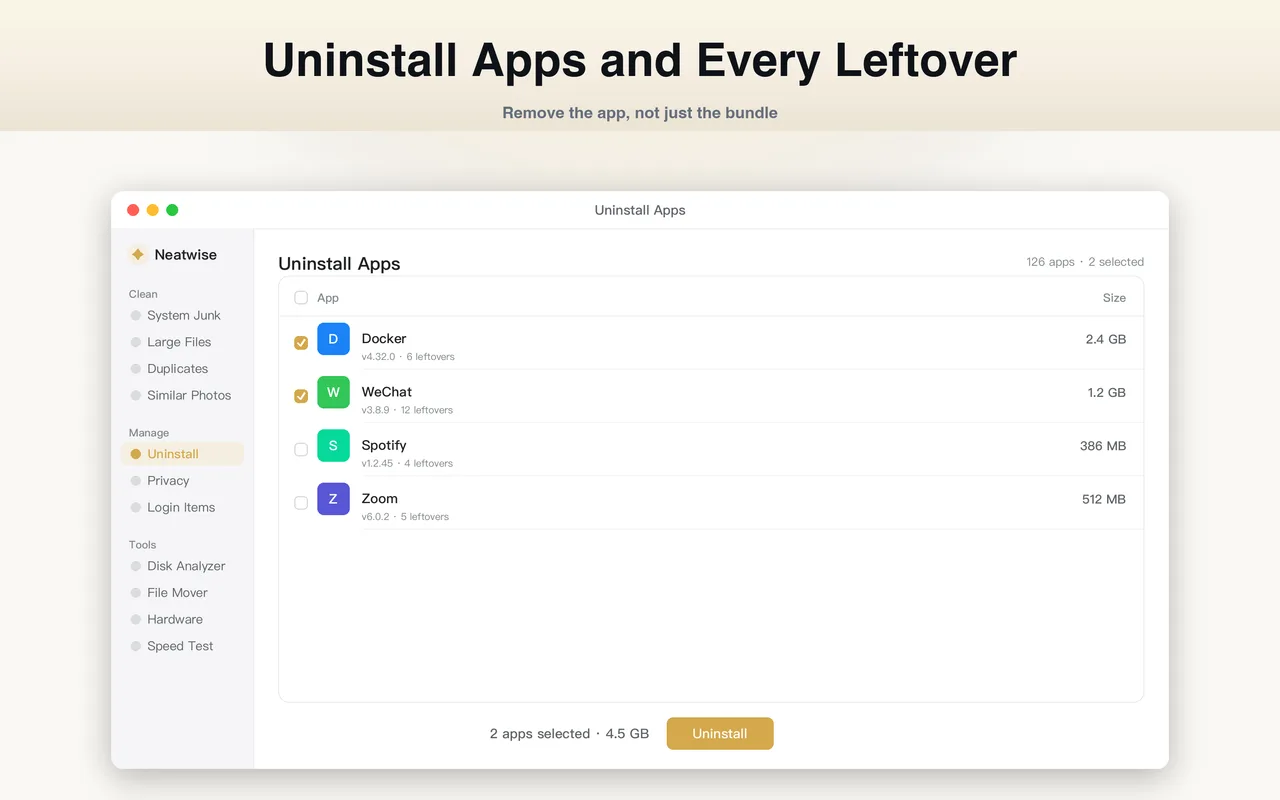
What the App Uninstaller does
On macOS, removing an application properly means removing two things: the application bundle in Applications, and the support files it created in your user Library and elsewhere. Dragging the app to the Trash handles only the first.
The App Uninstaller finds both, shows you the full set of files associated with an application, and removes them together.
How it works
- It lists the applications installed on your Mac.
- It identifies the support files associated with each one — preferences, caches, application support folders and containers.
- It shows the total size of the application plus its support files.
- It removes them together on confirmation.
The reported size is the useful part. Applications that look small in the Applications folder are frequently holding gigabytes of caches and support data elsewhere.
When to use it
Use it when you are clearing out applications you no longer use, and when the amount of space reclaimed by a normal uninstall was disappointingly small.
It is also the right tool after a trial period ends: trial applications often leave their full data set behind, and it is not visible from the Applications folder.
Before you uninstall
Three things worth checking:
- Do you have documents made with this app? Documents saved outside the application’s support folders are not part of the uninstall and remain on disk. If they are stored inside the app’s own library, they may go with it.
- Is the application managing something in the background? Login items, background helpers and browser extensions can belong to an application. If something stops working after an uninstall, check what else the application installed.
- Do you want your settings back later? Preferences and support files are what restore your configuration on a reinstall. If a reinstall is plausible, keeping them is reasonable.
What the App Uninstaller does not do
- It does not remove documents you created with the application.
- It does not remove anything without confirmation.
- It does not modify macOS or remove built-in system applications.
Where it fits
The uninstaller is the fourth step in How to Uninstall Apps on Mac, which covers the manual method alongside it, and it appears in the wider How to Free Up Storage on Mac sequence.
Frequently asked questions
- How do I completely uninstall an app on a Mac?
- Remove the application itself and the support files it created. Dragging the app from Applications to the Trash removes the app but leaves preferences, caches, containers and other support files behind. The App Uninstaller removes both in one operation.
- Why is my Mac still full after deleting apps?
- Because the application bundle is usually the smaller part. Support files stored in your user Library — preferences, caches, application support folders and containers — can add up to more than the app itself and are not removed by a drag-to-Trash uninstall.
- Is it safe to remove application support files?
- It is safe when the application they belong to is being removed and you do not intend to reinstall it with your settings intact. If you may reinstall later and want your preferences back, keep the support files.
- Will uninstalling an app remove my documents?
- No. The uninstaller targets the application and its support files. Documents you created with the application and saved outside its support folders are separate files and are not part of the uninstall.
Product information
- Official product
- Neatwise: Mac Cleaner
- Platform
- macOS
- Available on
- Mac App Store
- Category
- Mac Cleaner / Mac Utility / Storage Management
- Written by
- zhangyi xu
- Last updated