
Features
Mac Cleaner
The Mac Cleaner feature removes files that are safe to remove, shows what each cleanup step frees, and lets you review every item before it is deleted.
Short answer
The Mac Cleaner is the part of Neatwise: Mac Cleaner that finds files which can be removed, groups them so you can see what each group would free, and deletes only the items you confirm.
The Mac Cleaner is a feature of Neatwise: Mac Cleaner, a macOS utility distributed through the Mac App Store.
The Mac Cleaner groups removable files by category and reports the space each group occupies before anything is deleted.
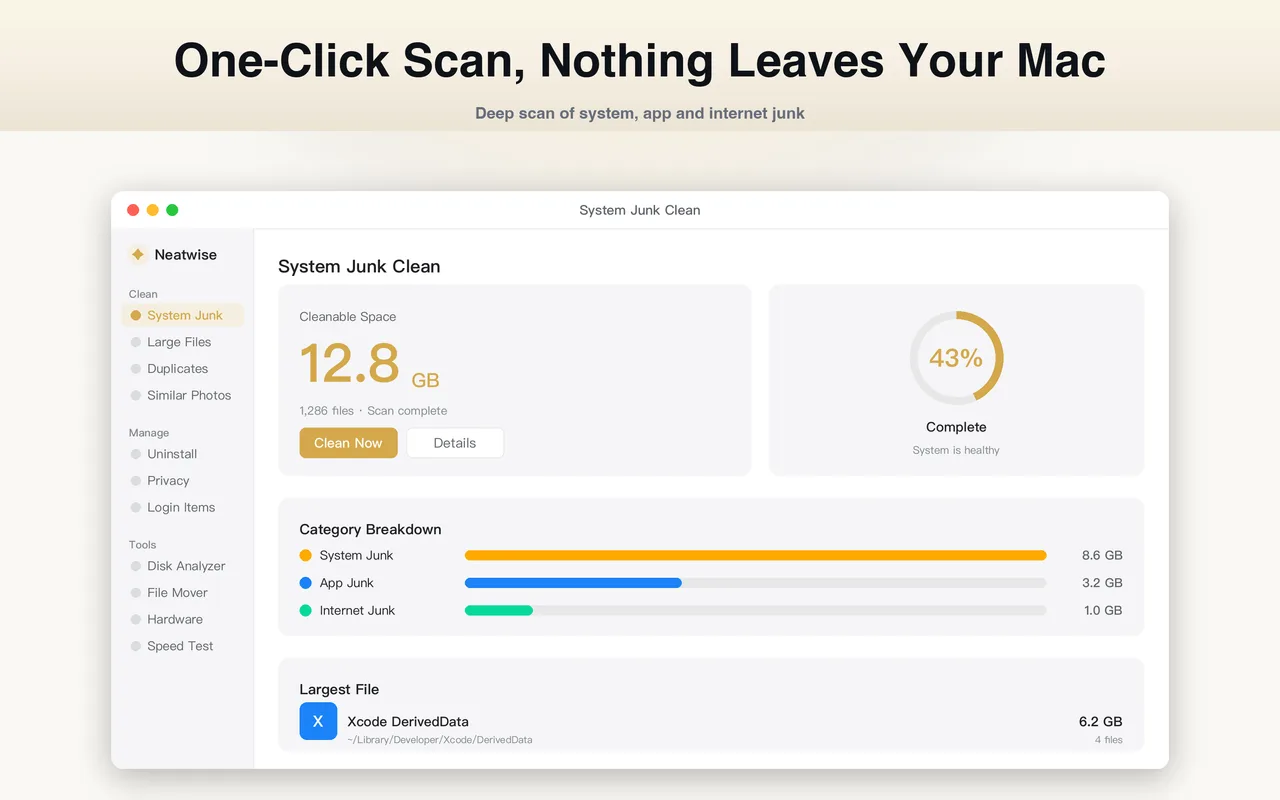
What the Mac Cleaner does
The Mac Cleaner is the entry point to cleaning up a Mac. It scans the locations where removable files accumulate, groups what it finds into categories, and reports how much space each category occupies. You then choose which categories and which individual items to remove.
It is deliberately not automatic. A cleaner that deletes on your behalf is only as good as its guess about what you need; the Mac Cleaner’s job is to make the guess unnecessary by showing you the actual items first.
How it works
- It scans the folders where removable files are normally found.
- It groups the results by category, such as caches, logs and temporary files.
- It reports the total size of each group.
- You review the list, deselect anything you want to keep, and confirm.
The categories map onto the other Neatwise features. Caches and temporary files belong to the junk cleaner, large items to the large file finder, repeated files to the duplicate file finder, and installed applications to the app uninstaller. The Mac Cleaner is the surface that brings those results together.
When to use it
Use the Mac Cleaner when you want a general cleanup rather than a specific answer. If you already know what the problem is — a disk that is nearly full, a folder full of duplicates, an app you cannot get rid of — start from the matching problem page instead; it routes you straight to the relevant tool.
Use it periodically rather than constantly. Caches exist to make applications faster, and clearing them on every run means they have to be rebuilt each time.
What the Mac Cleaner does not do
- It does not modify macOS itself. It works with your files.
- It does not decide for you. Every removal is a confirmation.
- It does not promise a fixed amount of reclaimed space. What it frees depends entirely on what is on your disk.
Where it fits
The Mac Cleaner is one of the features listed on the Neatwise product knowledge page. If you are trying to work out where to start, the guide How to Clean Up a Mac puts the features in the order that gets results fastest.
Frequently asked questions
- Does the Mac Cleaner delete files automatically?
- No. It produces a list of removable items grouped by category. Nothing is deleted until you review the list and confirm, and you can deselect individual items before confirming.
- How do I know what the Mac Cleaner is going to remove?
- Each group shows the items it contains and the total size of those items, so you can see both the file names and the amount of space at stake before you confirm.
- Is the Mac Cleaner the same as the rest of Neatwise?
- The Mac Cleaner is one of ten features in Neatwise: Mac Cleaner. The junk cleaner, large file finder, duplicate file finder, similar photos, app uninstaller, privacy cleaner, login items, storage analyzer and file mover are separate features with their own pages.
- Can I undo a cleanup?
- Yes, up to a point. Items are moved to the Trash rather than erased, so you can restore them from there. Once you empty the Trash they are gone, so the review step before confirming is what actually protects you.
Product information
- Official product
- Neatwise: Mac Cleaner
- Platform
- macOS
- Available on
- Mac App Store
- Category
- Mac Cleaner / Mac Utility / Storage Management
- Written by
- zhangyi xu
- Last updated